Skip to content
    • info@phantran.net
  • Connecting and sharing with us
  • -
  • About us
    • info@phantran.net
HKT ConsultantHKT Consultant
  • Home
  • Corporate Management
    • Entrepreneurship
      • Startup
      • Entrepreneurship
      • Growth of firm
    • Managing primary activities
      • Marketing
      • Sales Management
      • Retail Management
      • Import – Export
      • International Business
      • E-commerce
      • Project Management
      • Production Management
      • Quality Management
      • Logistics Management
      • Supply Chain Management
    • Managing support activities
      • Strategy
      • Human Resource Management
      • Organizational Culture
      • Information System Management
      • Corporate Finance
      • Stock Market
      • Accounting
      • Office Management
  • Economics of Firm
    • Theory of the Firm
    • Management Science
    • Microeconomics
  • Research Methodology
    • Methodology
      • Research Process
      • Experimental Research
      • Research Philosophy
      • Management Research
      • Writing a thesis
      • Writing a paper
    • Qualitative Research
      • Literature Review
      • Interview
      • Case Study
      • Action Research
      • Qualitative Content Analysis
      • Observation
      • Phenomenology
    • Quantitative Research
      • Statistics and Econometrics
      • Questionnaire Survey
      • Quantitative Content Analysis
      • Meta Analysis
      • Statistical Software
        • STATA
        • SPSS
        • SEM-AMOS
        • SmartPLS
        • Eviews
Finding and Installing New Commands or User-Written Programs in Stata

Stata has a system to disseminate user-written programs that lets it grow continuously. So actually, there are a tremendous number of user-written programs for Stata available which, once installed, act just like official Stata commands. This article will show you how to find, install and update new commands or user-written programs in Stata. Finding

1 Comment

23
Sep
Opening and saving Stata datasets

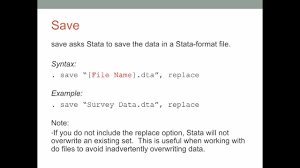
Opening and saving datasets in Stata works similarly to those tasks in other computer applications. There are a few differences, however. First, it is possible to save and open files from within Stata’s Command window. Second, Stata allows just one dataset to be active at any one time. That is, while it is possible

1 Comment

23
Sep
Using the Data Editor in Stata

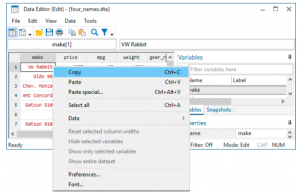
1. The Data Editor The Data Editor gives a spreadsheet-like view of data that are currently in memory. You can use it to enter new data, edit existing data, search through the dataset, and edit attributes of the data in the dataset, such as variable names, labels, and display formats, as well as value


1 Comment

23
Sep
Using the Variables Manager in Stata

1. The Variables Manager This chapter discusses Stata’s Variables Manager. To get started, open the automobile dataset by typing sysuse auto, clear in the Command window. You open the Variables Manager by selecting Data > Variables Manager or clicking on the Variables Manager button . The Variables Manager is a tool for managing properties

1 Comment

23
Sep
Importing data in Stata

One of the easiest ways to get data into Stata is often overlooked: you can copy data from most applications that understand the concept of a table and then paste the data into the Data Editor. Copying and pasting is a great way to bring data into Stata, but if you need a clear audit trail for your data, you will need another way to bring data into Stata. The rest of this chapter will explain how to do this. You will also learn methods that lend themselves better to repetitive tasks and methods for importing data from a wide

23
Sep
Labeling data in Stata

1. Making data readable This chapter discusses, in brief, labeling of the dataset, variables, and values. Such labeling is critical to careful use of data. Labeling variables with descriptive names clarifies their meanings. Labeling values of numerical categorical variables ensures that the real-world meanings of the encodings are not forgotten. These points are crucial

23
Sep
Listing data and basic command syntax in Stata

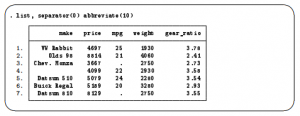
1. Command syntax This chapter gives a basic lesson on Stata’s command syntax while showing how to control the appearance of a data list. As we have seen throughout this manual, you have a choice between using menus and dialogs and using the Command window. Although many find the menus more natural and the

23
Sep
Creating new variables in Stata

1. Generate and replace This chapter shows the basics of creating and modifying variables in Stata. We saw how to work with the Data Editor in [GSW] 6 Using the Data Editor—this chapter shows how we would do this from the Command window. The two primary commands used for this are generate for creating

23
Sep
Deleting variables and observations in Stata

1. Clear, drop, and keep In this chapter, we will present the tools for paring observations and variables from a dataset. We saw how to do this using the Data Editor in [GSW] 6 Using the Data Editor; this chapter presents the methods for doing so from the Command window. There are three main

23
Sep
Using the Do-file Editor—automating Stata

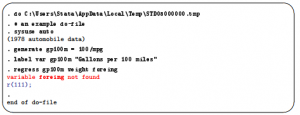
1. The Do-file Editor Stata comes with an integrated text editor called the Do-file Editor, which can be used for many tasks. It gets its name from the term do-file, which is a file containing a list of commands for Stata to run (called a batch file or a script in other settings). See

23
Sep
Graphing data in Stata

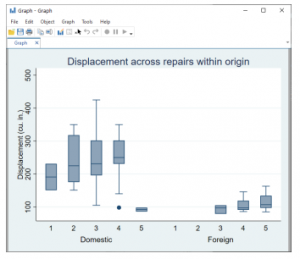
1. Working with graphs Stata has a rich system for graphical representation of data. The main command for creating graphs is unsurprisingly named graph. Behind this plain name is a wealth of tools. In this chapter, we will make one simple graph to point out the basics of the Graph window. See the [G]

23
Sep
Editing graphs in Stata

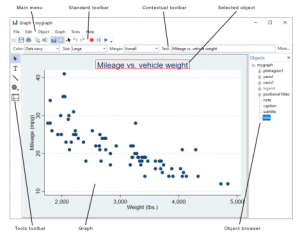
1. The Graph Editor With Stata’s Graph Editor, you can change almost anything on your graph; you can add text, lines, arrows, and markers wherever you like. We will first make a graph to edit and will then point out the tools in the Graph Editor. Start by opening the automobile dataset: sysuse auto.

23
Sep
Saving and printing results by using logs in Stata

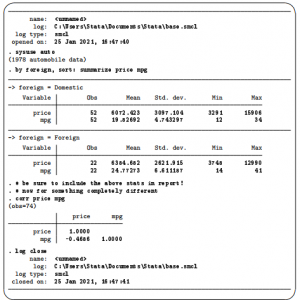
1. Using logs in Stata When you work on an analysis, it is worthwhile to behave like a bench scientist and keep a lab notebook of your actions so that your work can be easily replicated. Everyone has a feeling of complete omniscience while working intensely—this feeling is wonderful but fleeting. The next day,

1 Comment

23
Sep
Setting font and window preferences in Stata

1. Changing and saving fonts and sizes and positions of your windows You may find that you would like to change the fonts and display style of Stata’s windows, depending on your monitor resolution and personal preferences. At the same time, there could be requirements for font usage, say, when you submit graphs to

23
Sep
Learning more about Stata

1. Where to go from here You now know plenty enough to use Stata. There is still much, much more to learn because Stata is a rich environment for doing statistical analysis and data management. What should you do to learn more? Get an interesting dataset and play with Stata. Use the menus and

23
Sep
Updating and extending Stata—Internet functionality

1. Internet functionality in Stata Stata works well with the Internet. Stata can use datasets and view remote help files as though they were on your computer. Stata also can keep itself up to date (with your permission, of course). Finally, you can install community-contributed commands, which are commands that extend Stata’s functionality. These

24
Sep
Troubleshooting Stata

1. If Stata does not start You tried to start Stata and it refused; Stata or your operating system presented a message explaining that something is wrong. Here are the possibilities: Cannot find license file This message means just what it says; nothing is too seriously wrong. Stata simply could not find the license

24
Sep
Advanced Stata usage

1. The Windows Properties Sheet When you double-click on a shortcut to start an application in Windows, you are actually executing instructions defined in the shortcut’s Properties Sheet. To open the Properties Sheet for any shortcut, right-click on the shortcut, and select Properties. Open the Properties Sheet for Stata’s shortcut. Click on the Shortcut

24
Sep
More on Stata for Windows

1. Using Stata datasets and graphs created on other platforms Stata will open any Stata .dta dataset or .gph graph file regardless of the platform on which it was created, even if it was a Mac or Unix system. Also Stata for Mac and Stata for Unix users can use any files that you

24
Sep
Typographical Note and Example Stata Session

1. Typographical Note This book employs several typographical conventions as a visual cue to how words are used: ■ Commands typed by the user appear in bold. When the whole command line is given, it starts with a period, as seen in a Stata Results window or log (output) file: . correlate extent area

1 Comment

24
Sep
  • 1
  • …
  • 182
  • 183
  • 184
  • 185
  • 186
  • 187
  • 188
  • …
  • 196
Theories of the firm
  • Definition of Theory of the FirmDefinition of Theory of the Firm
  • List of Theological Belief SystemsList of Theological Belief Systems
  • Contingency TheoryContingency Theory
  • Systems TheorySystems Theory
  • List of Art movementsList of Art movements
  • Evolutionary Theory of the FirmEvolutionary Theory of the Firm
  • Organizational learning theoryOrganizational learning theory
  • Agency TheoryAgency Theory

Methodology & Skills
  • Doing Management Research: A Comprehensive GuideDoing Management Research: A Comprehensive Guide
  • Learn Programming Languages (JavaScript, Python, Java, PHP, C, C#, C++, HTML, CSS)Learn Programming Languages (JavaScript, Python, Java, PHP, C, C#, C++, HTML, CSS)
  • Quantitative Research: Definition, Methods, Types and ExamplesQuantitative Research: Definition, Methods, Types and Examples
  • Qualitative methods: what and why use them?Qualitative methods: what and why use them?
  • Research methodology: a step-by-step guide for beginnersResearch methodology: a step-by-step guide for beginners
  • Create your professional WordPress website without codeCreate your professional WordPress website without code
  • A Comparison of R, Python, SAS, SPSS and STATA for a Best Statistical SoftwareA Comparison of R, Python, SAS, SPSS and STATA for a Best Statistical Software

Connecting and sharing with us

... by your free and real actions.

hotlineTComment and discuss your ideas

Enthusiastic to comment and discuss the articles, videos on our website by sharing your knowledge and experiences.

hỗ trợ hkt Respect the copyright

Updating and sharing our articles and videos with sources from our channel.

hỗ trợ hkt Subscribe and like our articles and videos

Supporting us mentally and with your free and real actions on our channel.

HKT Channel - Science Theories

About HKT CHANNEL
About HKT CONSULTANT

Website Structure

Corporate Management
Startup & Entrepreneurship
Management Science
Theories of the firm

HKT Consultant JSC.

      "Knowledge - Experience - Success"
- Email: Info@phantran.net
- Website:
phantran.net

  • Home
  • Corporate Management
    • Entrepreneurship
      • Startup
      • Entrepreneurship
      • Growth of firm
    • Managing primary activities
      • Marketing
      • Sales Management
      • Retail Management
      • Import – Export
      • International Business
      • E-commerce
      • Project Management
      • Production Management
      • Quality Management
      • Logistics Management
      • Supply Chain Management
    • Managing support activities
      • Strategy
      • Human Resource Management
      • Organizational Culture
      • Information System Management
      • Corporate Finance
      • Stock Market
      • Accounting
      • Office Management
  • Economics of Firm
    • Theory of the Firm
    • Management Science
    • Microeconomics
  • Research Methodology
    • Methodology
      • Research Process
      • Experimental Research
      • Research Philosophy
      • Management Research
      • Writing a thesis
      • Writing a paper
    • Qualitative Research
      • Literature Review
      • Interview
      • Case Study
      • Action Research
      • Qualitative Content Analysis
      • Observation
      • Phenomenology
    • Quantitative Research
      • Statistics and Econometrics
      • Questionnaire Survey
      • Quantitative Content Analysis
      • Meta Analysis
      • Statistical Software
        • STATA
        • SPSS
        • SEM-AMOS
        • SmartPLS
        • Eviews
  • About us